
An exclusive preview of a project I’m working on: A Radical Edward themed Pwnagotchi cyberdeck! Current features include:
- Radical Ed’s Avatar as a custom-faces-mod for the Pwnagotchi
- 3D printing + post processing techniques creating an authentic anime facsimile
- A working “3.5 floppy disk and drive” analogue
- Project files will be available in the shop
In the short video below, I demonstrate the “3.5 floppy disk and drive” analogue. In actuality, it’s an SD card adapter that plugs into the Pi Zero W’s micro SD card slot. It enables swapping out SD cards quickly and easily. Listen for the satisfying clicking sounds:
Getting the faces to work was a project in and of itself. Originally parts of the face failed to render:
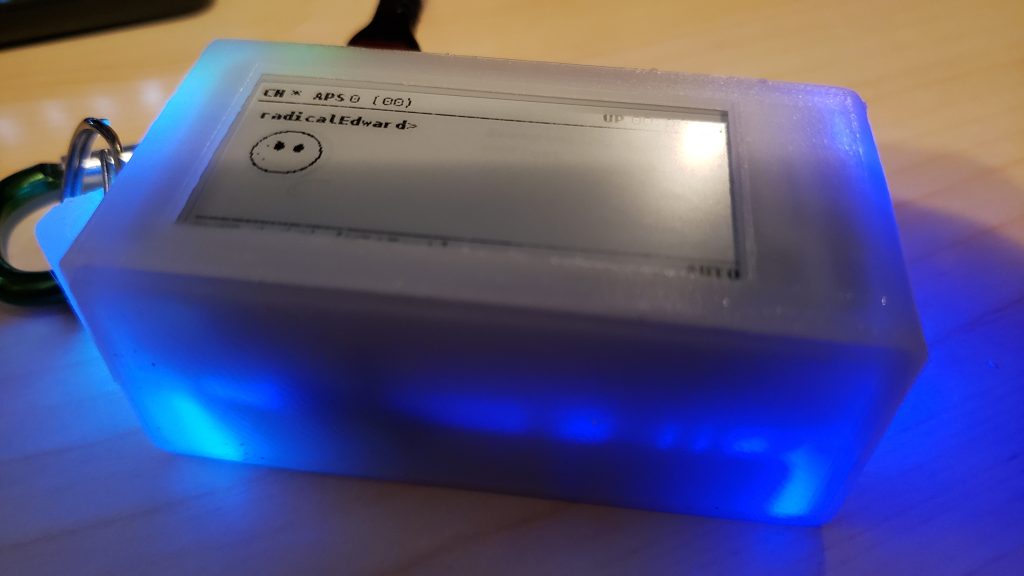
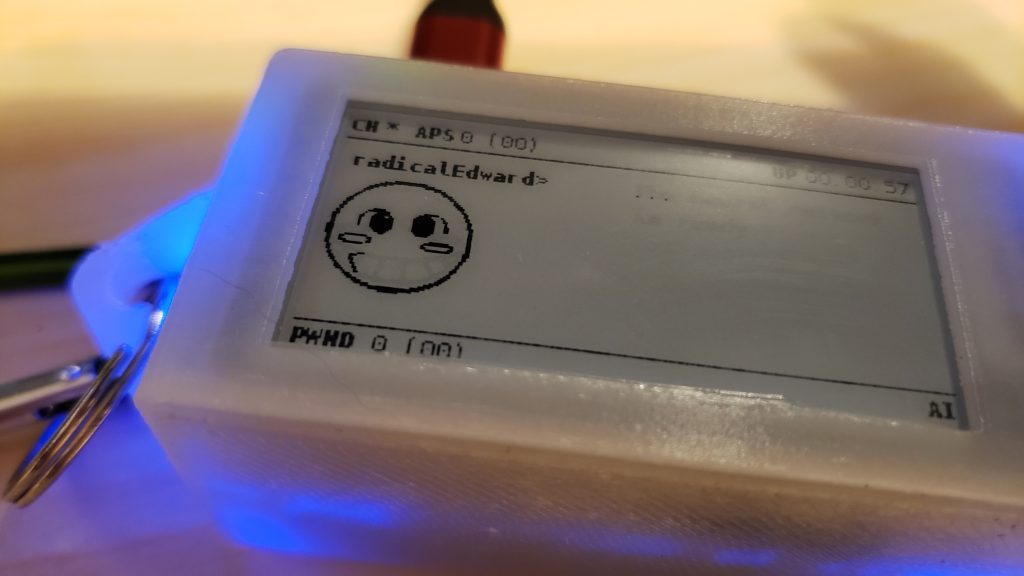
Some troubleshooting and experimentation was necessary; eventually I realized that the prescribed image dimensions were too small and the line work too thin. Here’s what it looks like once I was able to get it to render successfully:
Also, Rad Ed’s avatar wouldn’t look left or right. A closer inspection of the github tutorial revealed that some of the code was wrong.
ui.faces.look_r = "/custom-faces/LOOK-R.png"
ui.faces.look_l = "/custom-faces/LOOK-L.png"
ui.faces.look_r_happy = "/custom-faces/LOOK-R-HAPPY.png"
ui.faces.look_l_happy = "/custom-faces/LOOK-L-HAPPY.png"
should read:
ui.faces.look_r = "/custom-faces/LOOK_R.png"
ui.faces.look_l = "/custom-faces/LOOK_L.png"
ui.faces.look_r_happy = "/custom-faces/LOOK_R_HAPPY.png"
ui.faces.look_l_happy = "/custom-faces/LOOK_L_HAPPY.png"
Did you spot the difference? The first block incorrectly references the .pngs, using dashes instead of underscores. The updated code references the .pngs using the prescribed naming conventions of using underscores. After updating config.toml, Radical Edward’s avatar was able to look back and forth.
Many of the avatar’s emotes are ripped straight from the Cowboy Bebop series. But the avatar in the anime doesn’t run the full gamut of pwnagotchi emotions so some had to be inferred, even invented. This too took many iterations to get right. Here’s what the sprite sheet looked like originally (some emojiis have been since updated):

Speaking of iterative design, sculpting Ed’s cardboard computer case took quite some time. To achieve the effect of corrugation I created an insert mesh brush that was a segment of corrugation and dragged it along the box’s edges as a curve in zbrush:
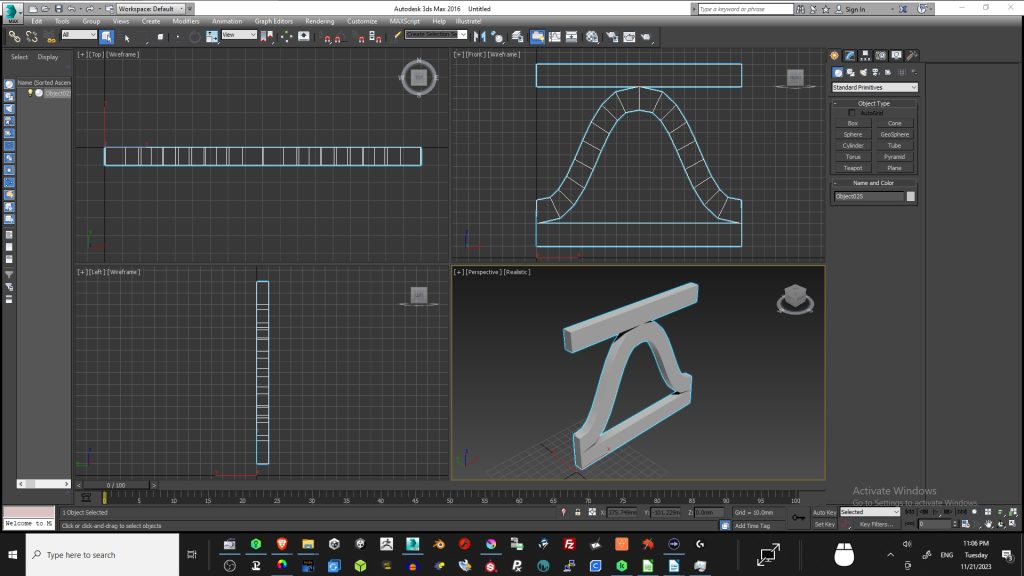
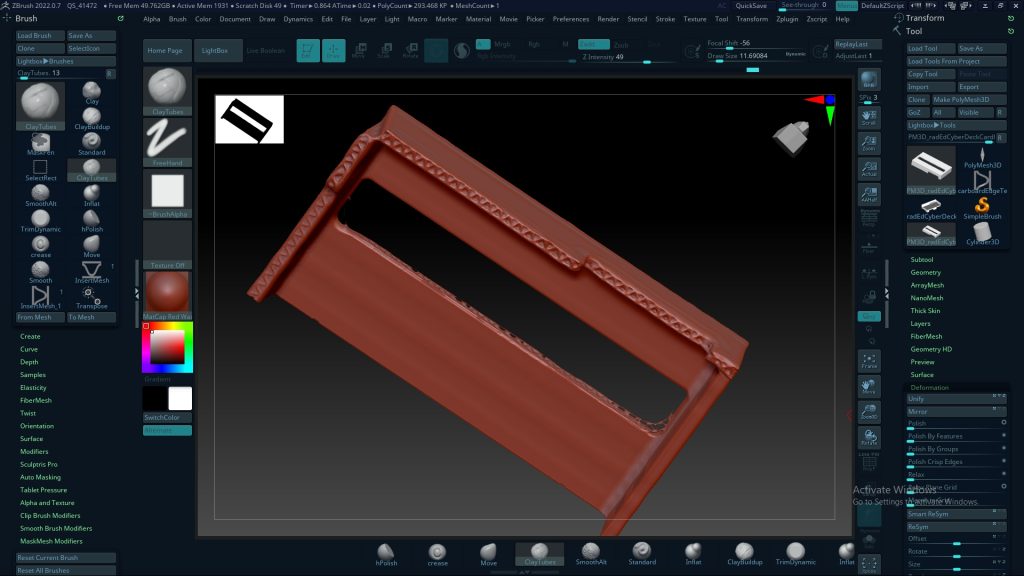
It looked good but in the end it didn’t really matter because the details were too small to show up in the test prints. I tried a bunch of post-processing techniques to create corrugated edges and settled on poking the edges repeatedly with my soldering iron. I’m happy with the results:
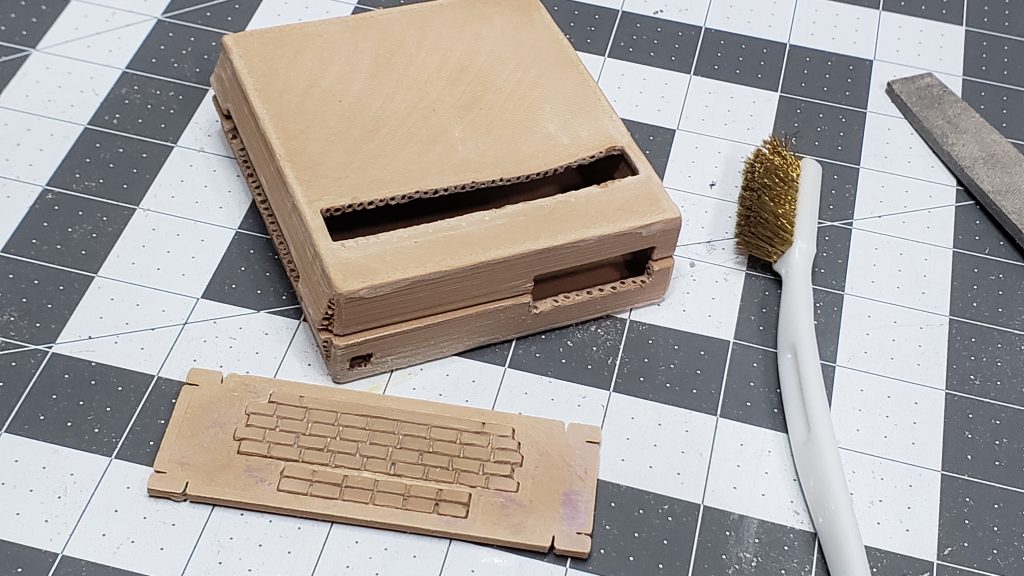
I also tried a number of techniques to create subtle corrugated ripples on the surface of the box; I dragged the soldering iron across it, tried sanding it, tried filing it. I also tried to imprint wires onto it after heating the box with a hot air gun. Nothing worked though so I abandoned all attempts at creating sub-surface corrugation effects. Using the hot air gun did however cause the print to sag in convincing, box-like ways so I reused that tech on subsequent attempts. Finally I used a Dremel with an 80 grit flap wheel to soften the edges and add a bit of wear and tear.
Honestly, I’ve never worked so hard to make something look so jank. And we’re only about half way through! Here’s an abridged todo list:
- Experiment with printing some of the more fragile parts (eg server rack rails) and source substitutes if necessary
- Graphic design waterslide decals
- Engineer the case’s closure (likely magnets)
- Design and print the remaining parts
- Decorate the case
- Fit and finish it
- Shoot and edit and post and promote the video
- Profit
Speaking of profit, please check out the shop. I’ve just revamped the 3D printed cases product pages, complete with shipping calculations. I’ve also added a nice, new transparent red Slim-ish-agotchi case so check that out while you’re there. Thanks!