


The Countercade Saga Begins!

The Countercade Saga Begins!

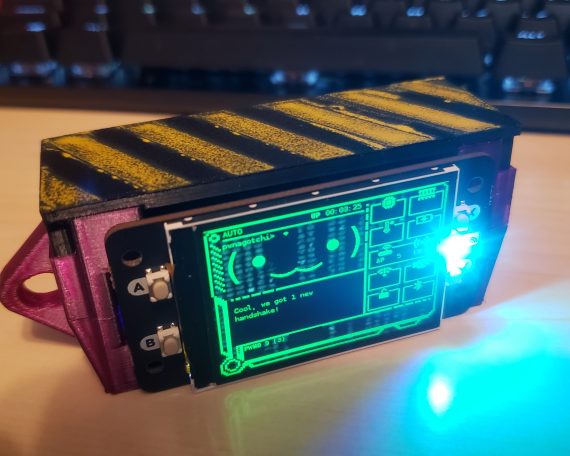
3D printed files in the shop! Saga in the posts! Video and crowdfunding out soon! (ᵔ◡◡ᵔ)

Read More

Donations page is up!

Donations page is up!

As per requests, here is the Cyberspacemanmike donation page! If you like the channel and would like to support it, please consider donating.

Read More

💾 Making a Floppy Drive Useful in 2027.

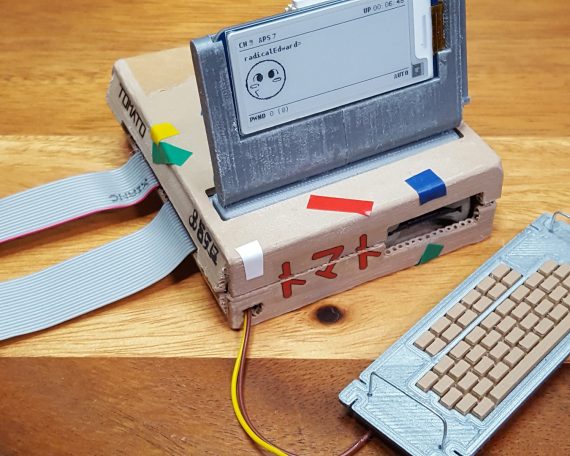
I’ve been building infamous hacker Radical Edward’s computer from Cowboy Bebop; fittingly it runs Kali Linux. Named Tomato, it houses a Raspberry Pi 3B, complete with a touchscreen, custom desktop environment, and some decidedly retro hardware. One of the biggest challenges encountered during the build: making a floppy drive relevant in 2027. Cowboy Bebop released

Cyber Ops Center: Building a Custom Kali Linux Terminal Dashboard

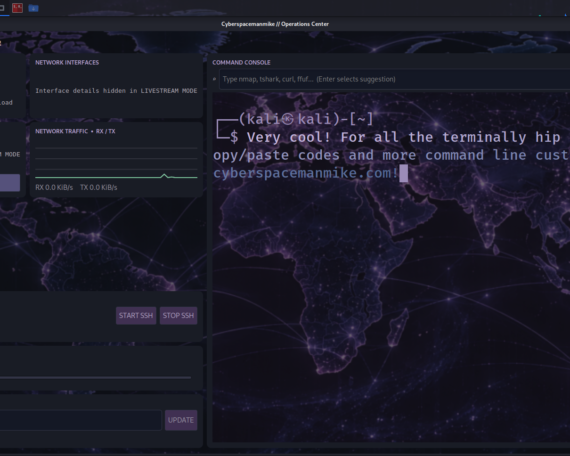
I’ve been working on a custom terminal dashboard for Kali Linux, and I’m finally ready to share it. Introducing the Cyberspacemanmike Operations Center, a lightweight, customizable cybersecurity dashboard that combines system monitoring, network information, an interactive terminal, and frequently used security tools in one interface. Download the Cyberspacemanmike Terminal Dashboard today, for free! The project

Give Kali Linux a Cyberwave or or Matrix Makeover: Dynamic Zsh Gradients, Terminator Themes, and Matching Wallpapers

I wanted to give my Kali Linux cybersecurity workspace a distinctive look without sacrificing readability. Specifically, I wanted a dark terminal, coordinated colors, and a continuous gradient across the commands I typed. Checkout these Kali terminal themes! With ChatGPT’s help, I developed two themes: Matrix, using muted greens, and Lavender Cyberwave, using subdued purples and

Reality Check: AI Analyzes My Channel’s Suppression, Pt. 1.

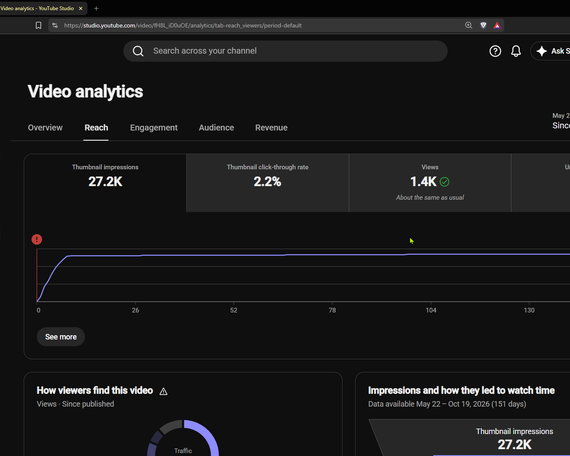
Whether purposefully, passively, or as a proxy for other bad actors, YouTube is suppressing my channel. I asked ChatGPT to analyze the failure of what I had primed to be my most successful video yet: my Capcom Mini-Cute Countercade creation video. Here are the results of that reality check. The video represents over half a

Windows 10 Per-App Audio Output Not Working? Here’s the Fix That Actually Worked

Windows 10 has a surprisingly useful feature that lets you route individual applications to different audio devices. You might want your browser playing through desktop speakers while a game uses HDMI audio, Discord uses a headset, and video-editing software uses a completely different output. Windows is supposed to handle this through: Settings → System →

Oh hai there 👋
It’s nice to see you!

Sign up to receive an awesome email newsletter every so often!

We don’t spam! Read our privacy policy for more info.